

Piqd
Saw it somewhere? It’s in Piqd.
Your Piqs from every app, in one place. Piqd lets you Piq content you love from YouTube, Instagram, Facebook, LinkedIn, and the web with a single tap, then browse, search, and organize it all in one clean, unified library — with AI-assisted category suggestions to keep everything organized effortlessly.
Coming soon to App Store and Google Play Store
See Piqd in action
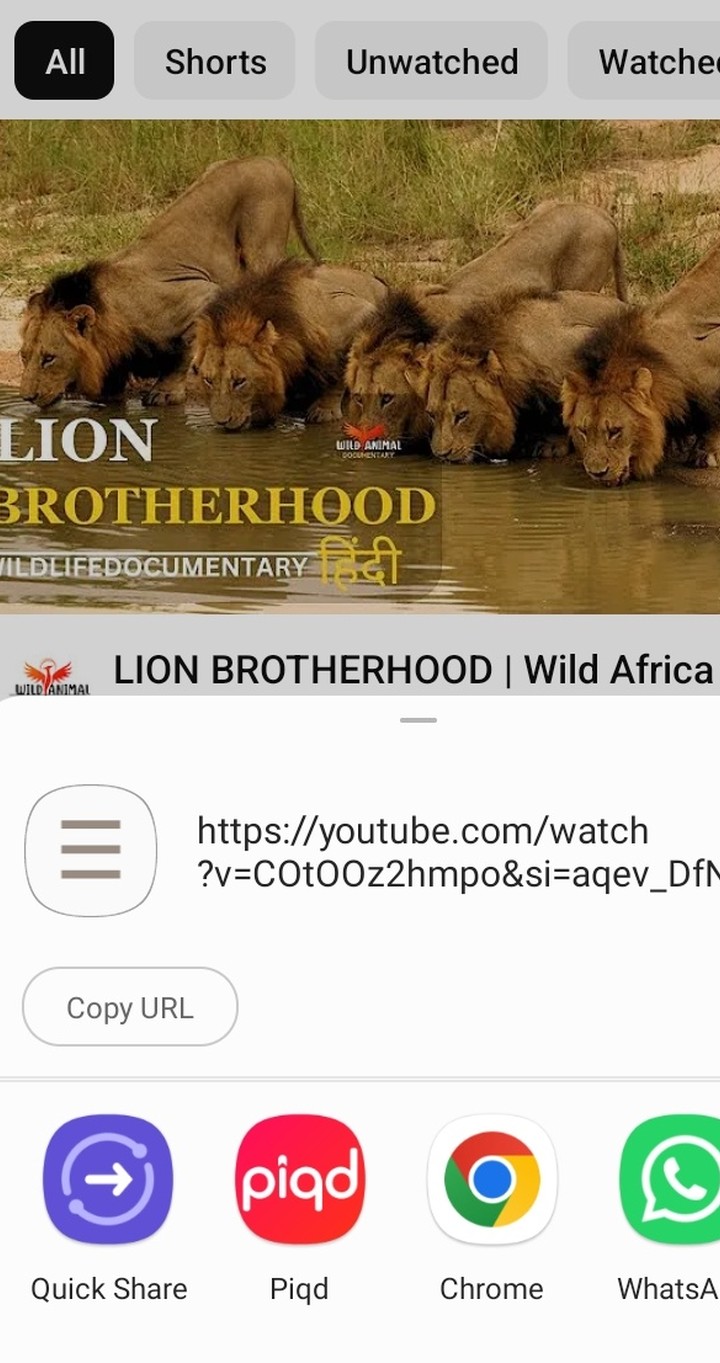
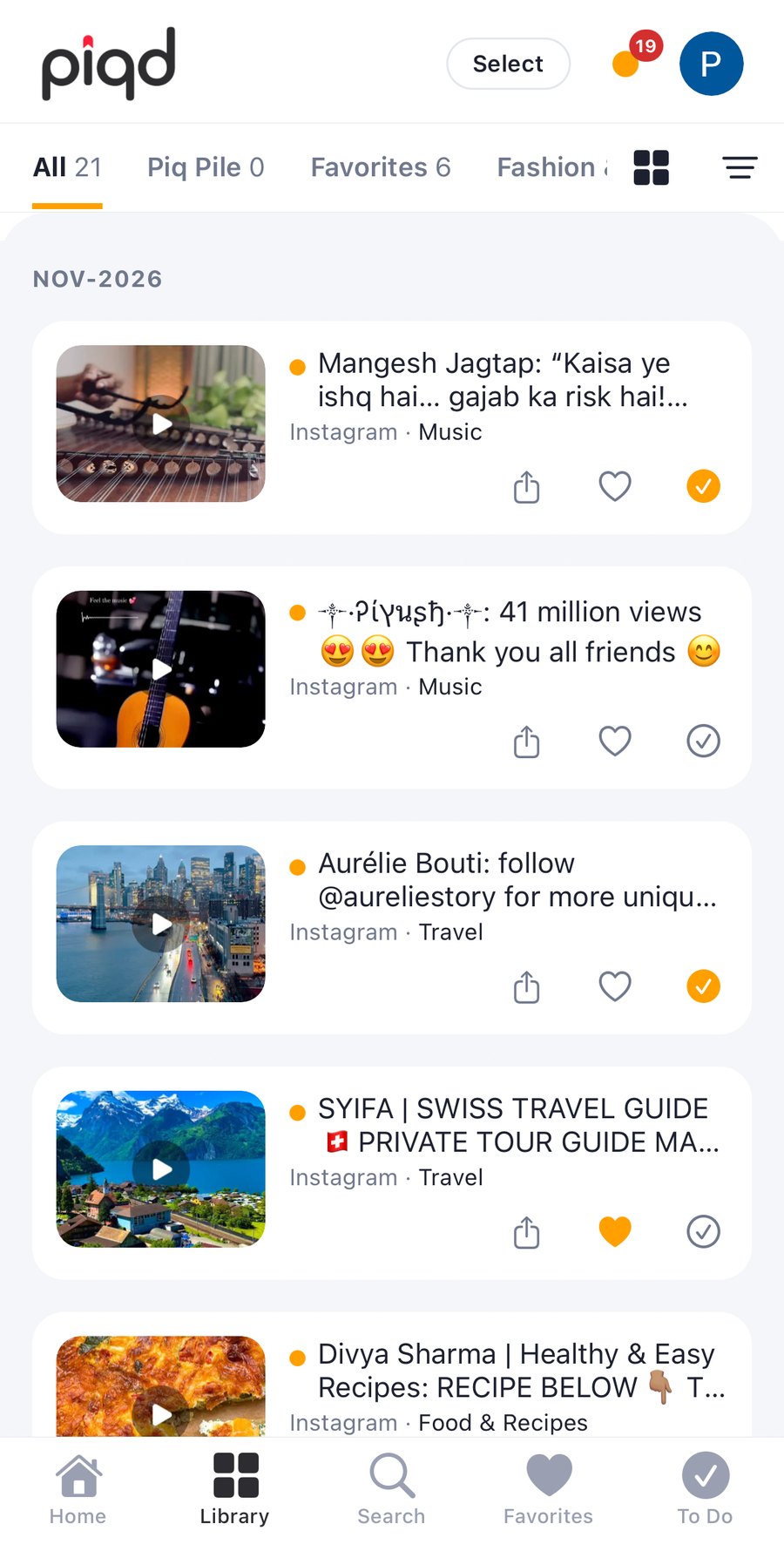
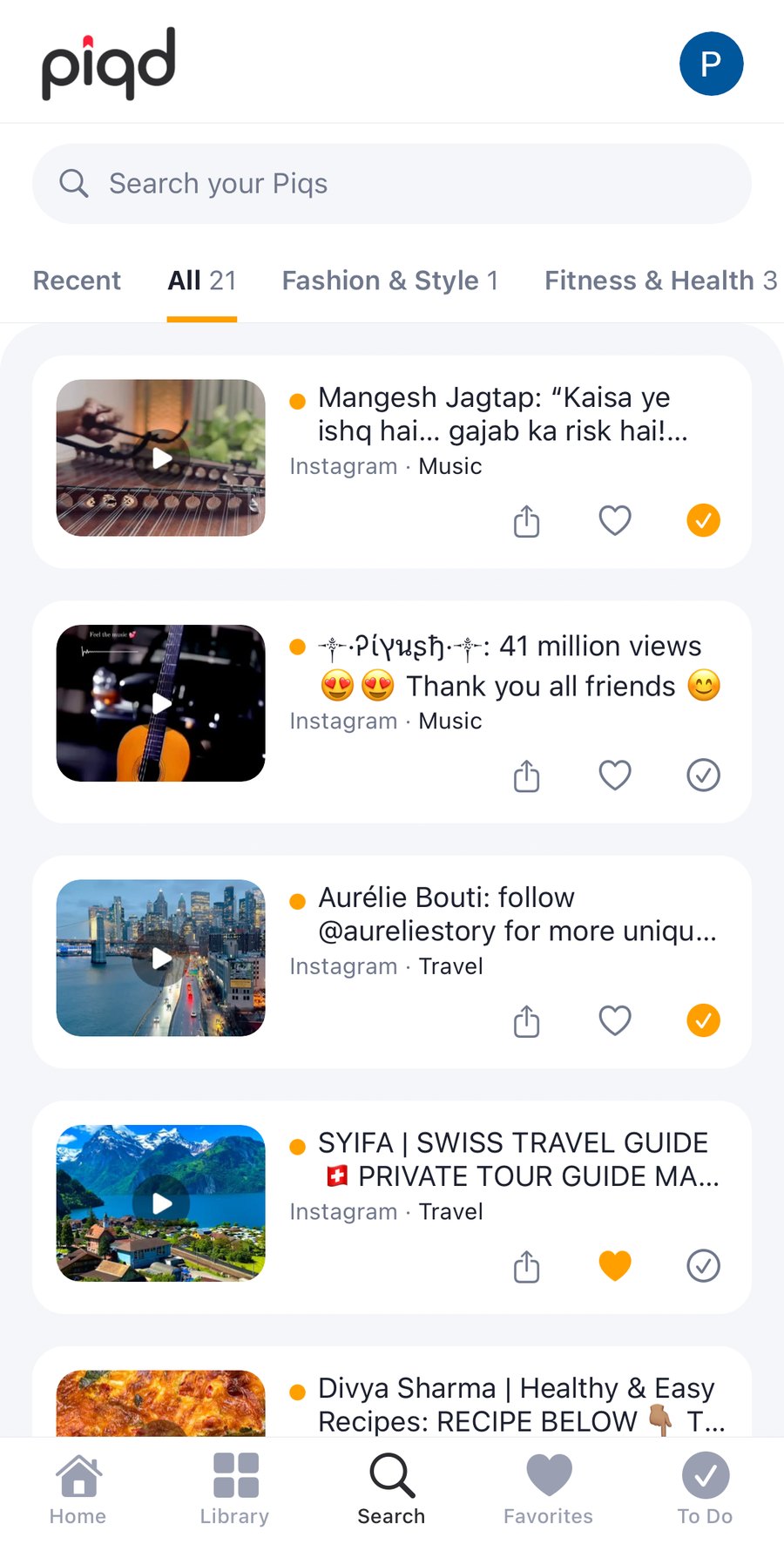
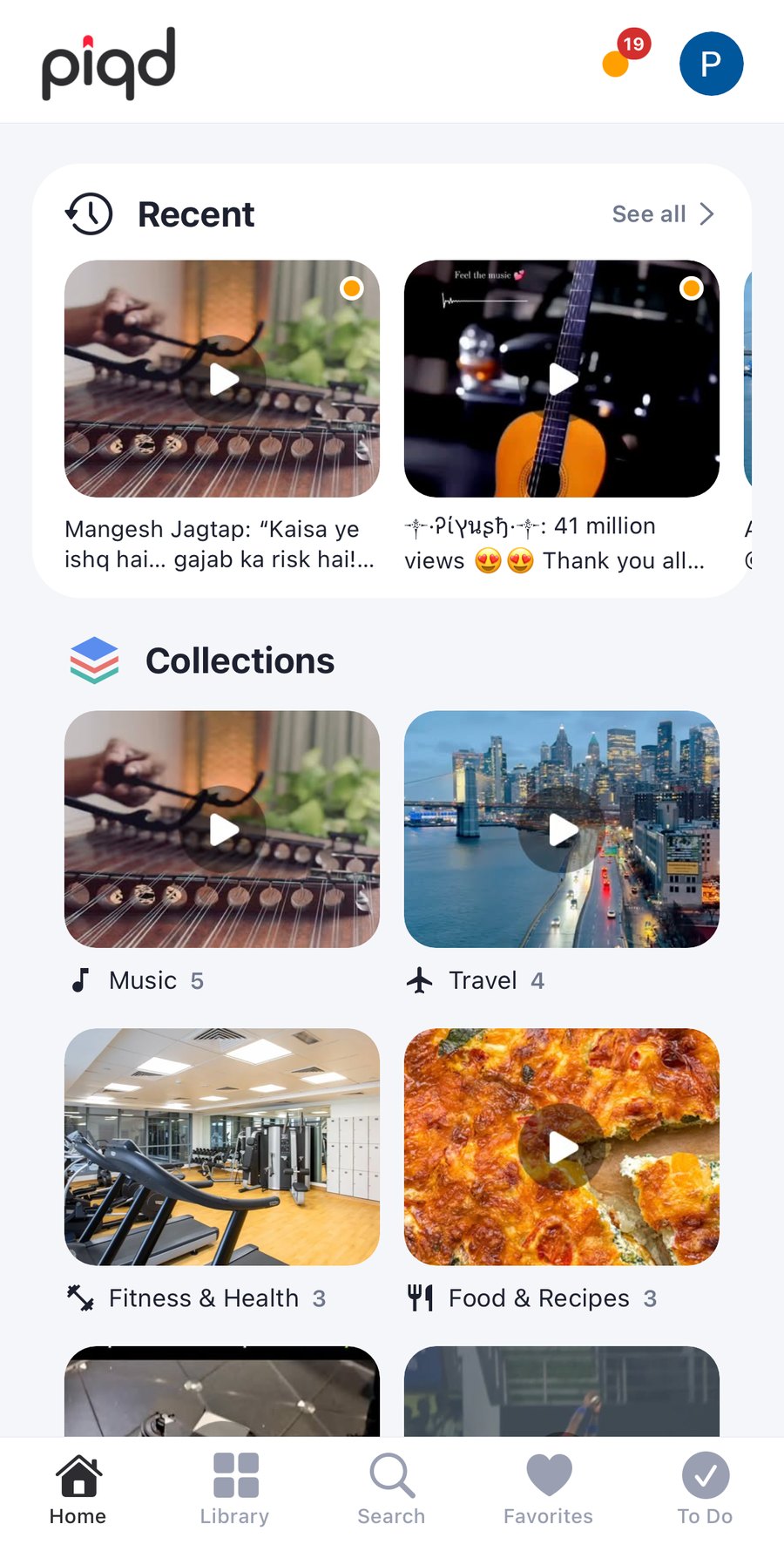
Piq from anywhere
Share any link from YouTube, Instagram, Facebook, LinkedIn or your browser to Piqd, and it lands in your Collections. Don’t see Piqd? Tap “More” in the share menu.
Piqs sort themselves
Piqd reads every Piq and puts it in the right category. No sorting, no folders to manage.
Find it in seconds
Search by a word or browse by category. Tap the heart to keep your favourites close.
Your Piqs, organised
Home shows your latest Piqs under Recent, groups them into Collections by topic, and shows what’s popular with other Piqsters. Press and hold any Piq for quick actions.
Turn Piqs into a plan
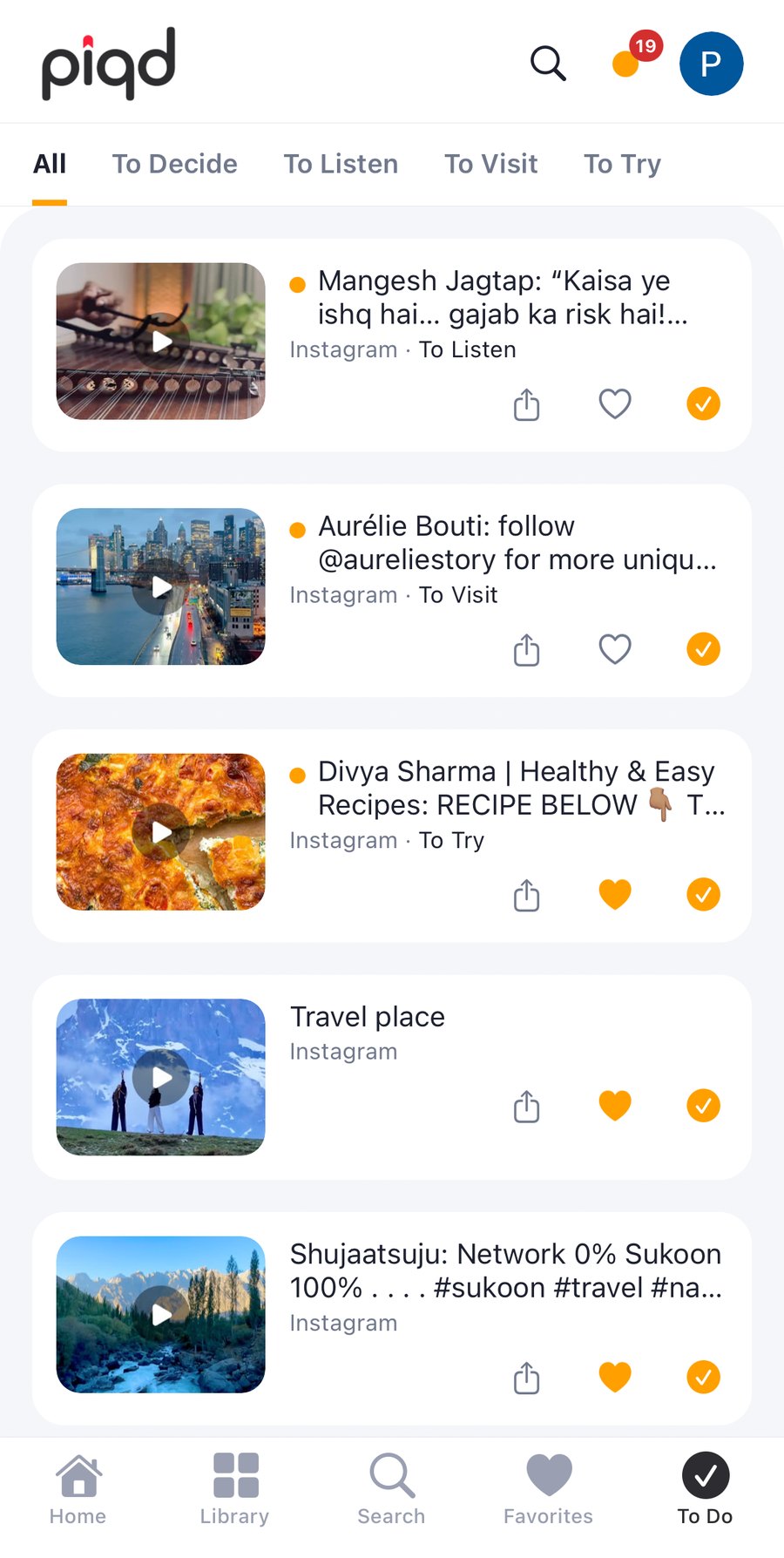
Tap the circle with a tick on any Piq to add it to To Do, and say why: to try, to visit, to listen and more. Mark it done when you’re finished.
Everything finds a home
Piqd sorts your Piqs into these topics. Anything it can’t place waits in your Piq Pile. Want your own? Tap your photo, then Settings → Manage Categories.
Why Piqd
Piq in one tap
Share a link or post from YouTube, Instagram, Facebook, LinkedIn, or your browser straight into Piqd.
One clean library
Every Piq lives in a single, searchable place instead of being scattered across a dozen apps.
Organized for you
Group your Piqs into your own categories and keep the ones you plan to act on in To Do. AI suggests a category for each Piq.
How it works
- 1
Share to Piqd
Tap Share in any app and choose Piqd. We add the link to your Collections with its title and preview.
- 2
Sort it your way
Pick a category, accept the AI suggestion, or put the Piq in To Do for what you want to do next.
- 3
Find it later
Browse or search your Piqs whenever you want to come back to something.
Piqd is on its way
We're putting the finishing touches on the app. Questions in the meantime? We'd love to hear from you.